Controlling the game
This is the live operations view for the stream: update score state, activate stratagem cards, and keep the on-screen overlay accurate for viewers.
Primary and secondary handling
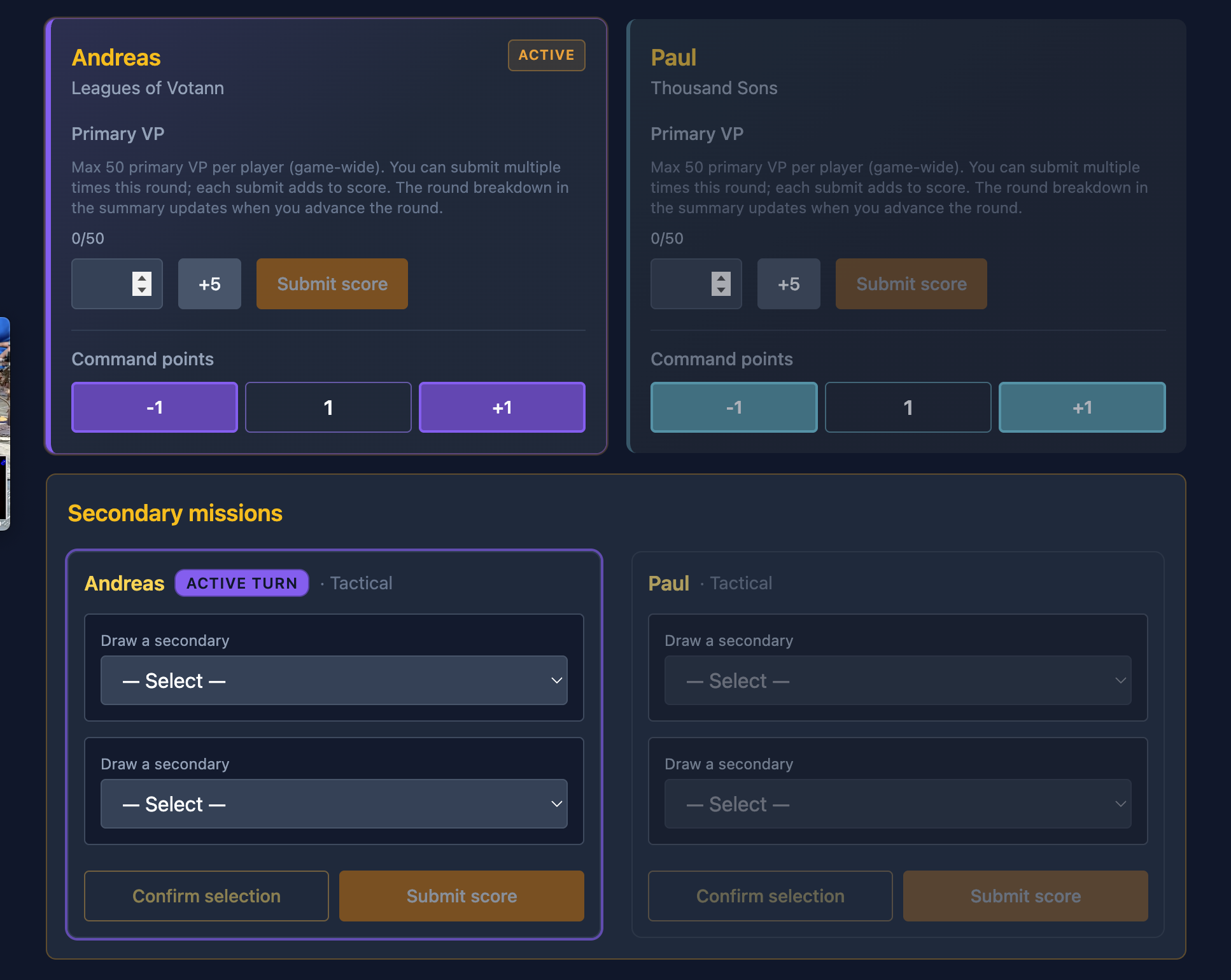
The control panel is where primary score and secondary handling takes place. Once secondaries are selected, they are confirmed and rendered on screen for viewers.
Stratagems
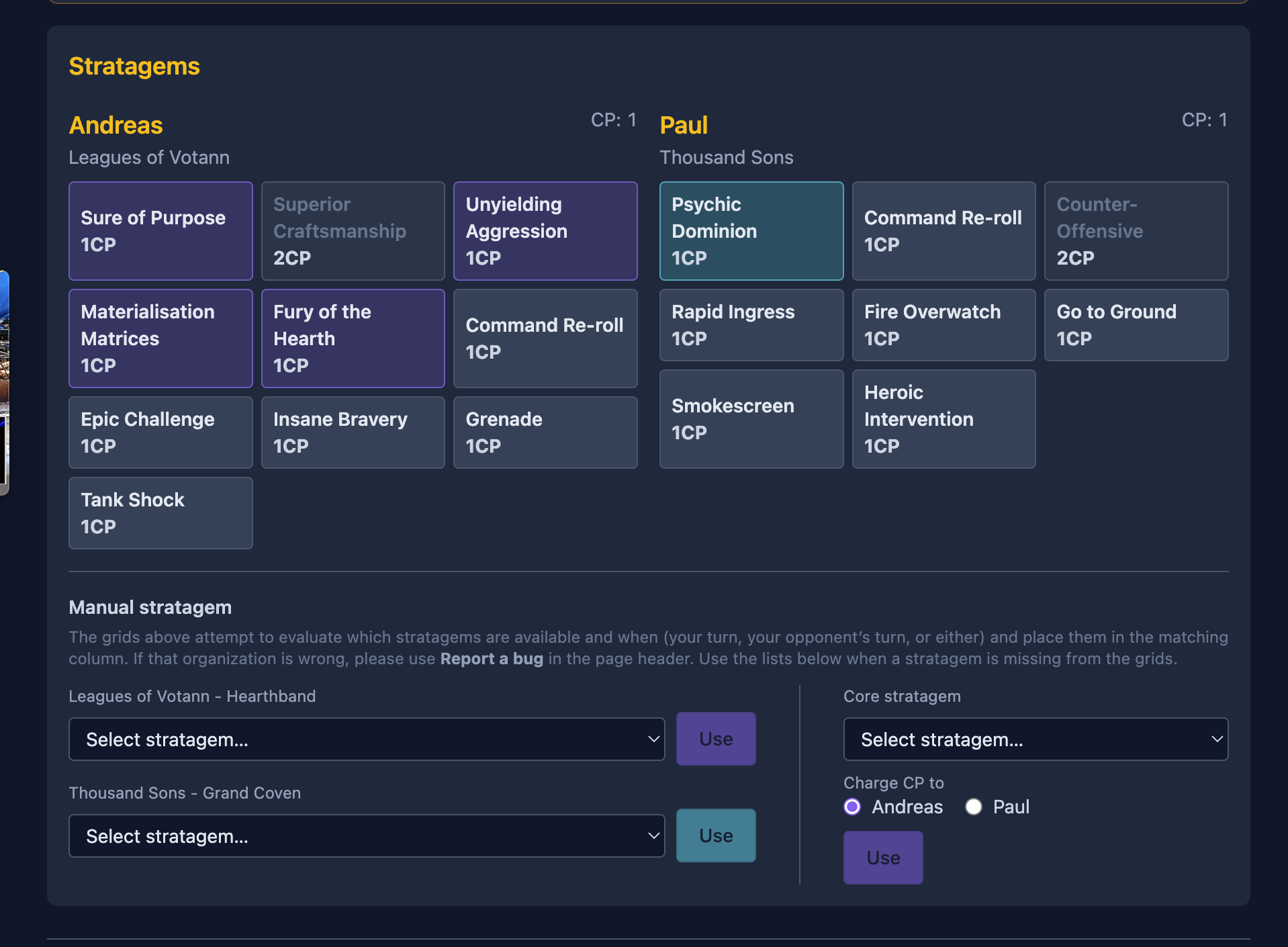
Stratagem options are gathered from army data. When a user activates one, the stratagem card renders on screen. Manual controls for command points and specific stratagems are also available.
Summary control (backup path)
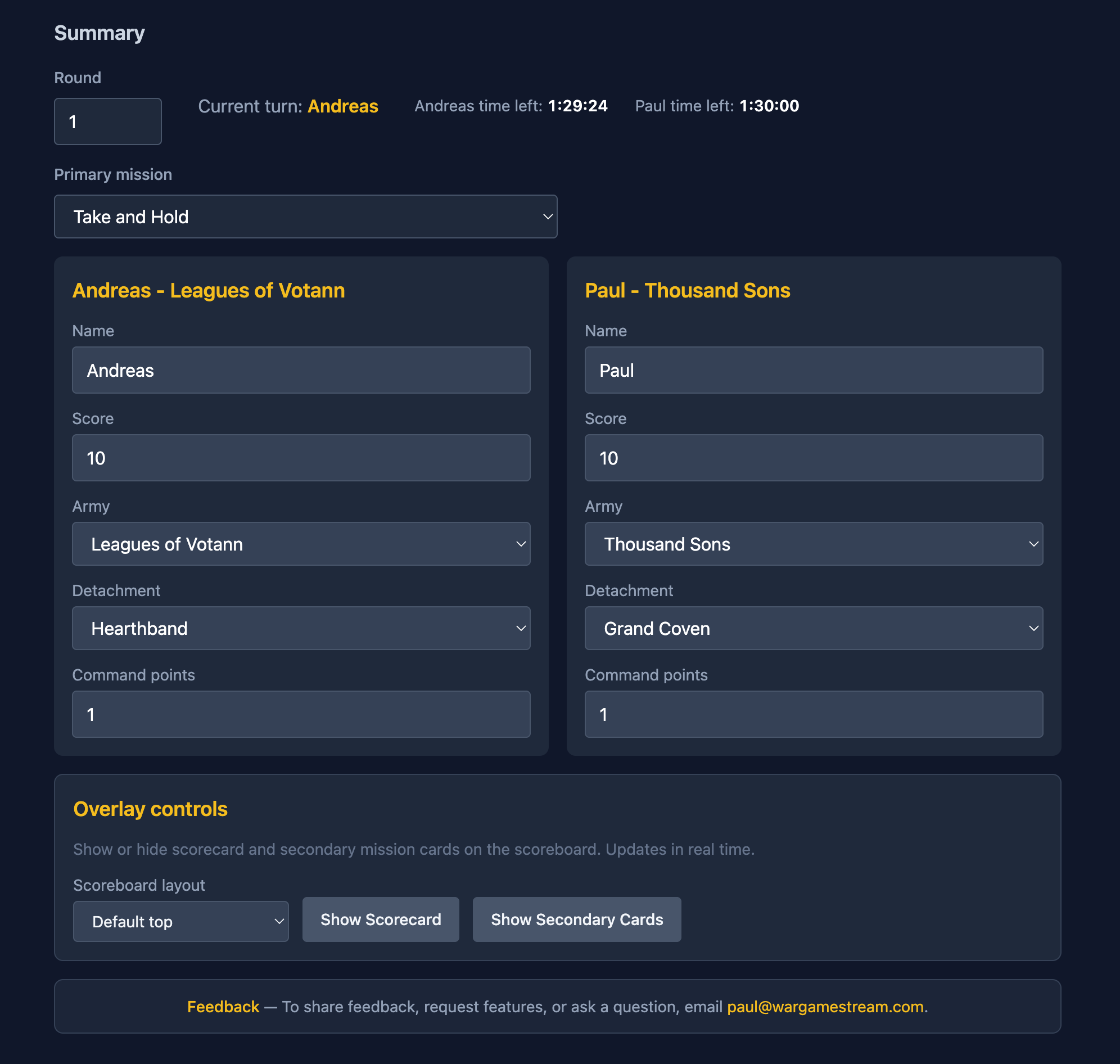
At the bottom of the control page is summary control. Changes here are reflected directly on the overlay and are primarily used when the game is placed in an illogical state. Think of it as the backup path for core interactions.
Live scoreboard output
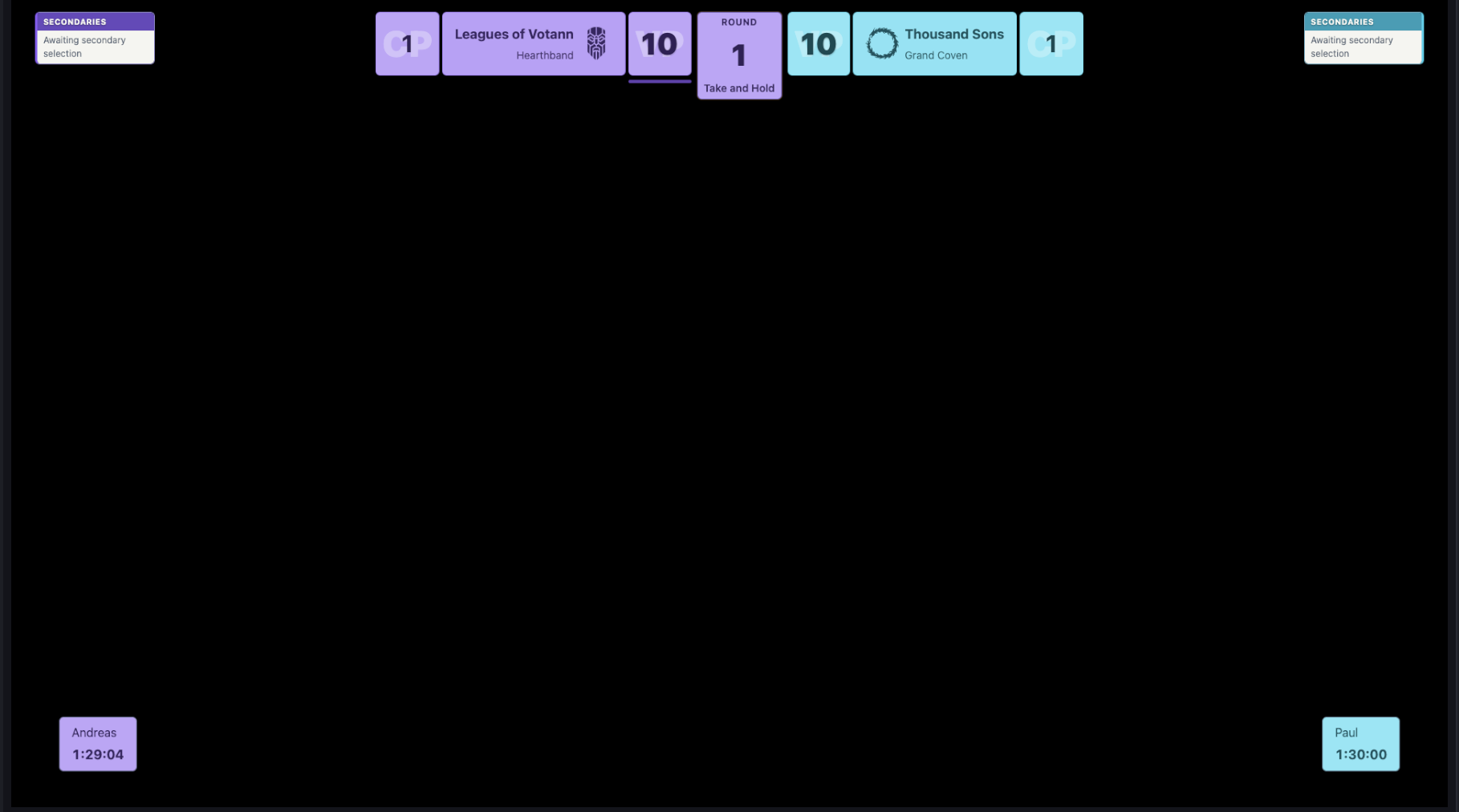
As players (or whoever is running controls) update game state, the scoreboard renders properly and updates live on the overlay.
Next: overlay control
Continue to overlay control to trigger on-screen effects in the correct area of the game board.
Open the overlay control guide